Trident for Procurement
tridentforprocurement.woodsidesolutions.com/architecture · October 2026
Trident for Procurement
tridentforprocurement.woodsidesolutions.com/architecture · October 2026
Trident for Procurement Architecture Overview
Trident for Procurement runs on SAP Business Technology Platform (SAP BTP). Agents read SAP Ariba and SAP S/4HANA data through Model Context Protocol (MCP) servers. All model calls go through the generative AI hub in SAP AI Core. A buyer approves every write-back, and each step is recorded in a signed audit trail.
Diagram
How the parts connect
Scroll the diagram sideways to see all of it. Solid arrows are the normal path. The dashed arrow is optional. Write-backs to SAP Ariba and SAP S/4HANA pass through buyer approval first.
Agents
Observer, reasoner and actuator
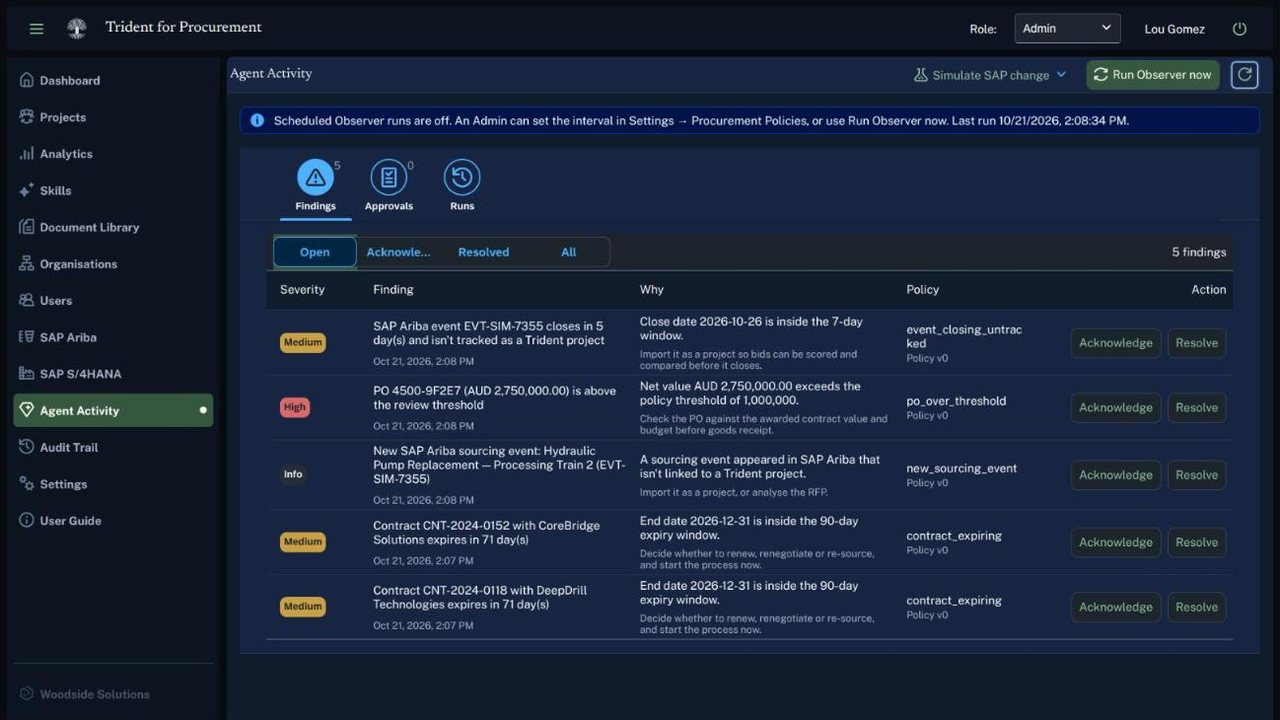
The three agents share one job: keep buyers informed about changes in SAP and prepare the next step, without acting on SAP on their own.
Observer
Syncs SAP Ariba sourcing events and contracts, and SAP S/4HANA purchase orders and business partners, through the MCP servers. It compares each sync with the last one and records new and changed items, plus events that close soon and contracts that expire soon. It runs on a schedule an administrator sets, or when an administrator starts it.
Reasoner
Applies the procurement policies an administrator sets: the purchase order review threshold, contract expiry and event closing windows, the compliance risk threshold and required clauses. It raises findings with a severity and the policy version they came from. When a linked SAP Ariba event is out of step with its project, it proposes a write-back. If turned on, it also runs RFP analysis on new sourcing events and compliance checks on new or changed contracts.
Actuator
Writes to SAP only after a buyer approves: it pushes an award or closes an event in SAP Ariba Sourcing, or creates a purchase order in SAP S/4HANA. It writes exactly the values the buyer reviewed. No other part of Trident writes to SAP.
Approval
From proposal to write-back
| Step | What happens |
|---|---|
| 01Propose | The reasoner, or a buyer on a project, proposes a write-back. Nothing is written yet. The proposal stores the exact values, such as the awarded supplier and award date, or the purchase order amount. |
| 02Review | A buyer in the buying organization opens the proposal from Agent Activity or the project and sees the values that will be written. |
| 03Approve or reject | Approve writes the values. Reject writes nothing. With four-eyes approval turned on, the person who proposed it can't approve it. |
| 04Check | Before writing, Trident prepares the values again. If they changed since the proposal, the approval stops and the write-back has to be proposed again. Two people approving at once results in one write. |
| 05Write and record | The actuator writes to SAP Ariba or SAP S/4HANA through the MCP server. The proposal, approval and write-back are each recorded in the signed audit trail. |
Nothing is written to SAP Ariba or SAP S/4HANA until a buyer approves it.
Components
Other components
MCP servers
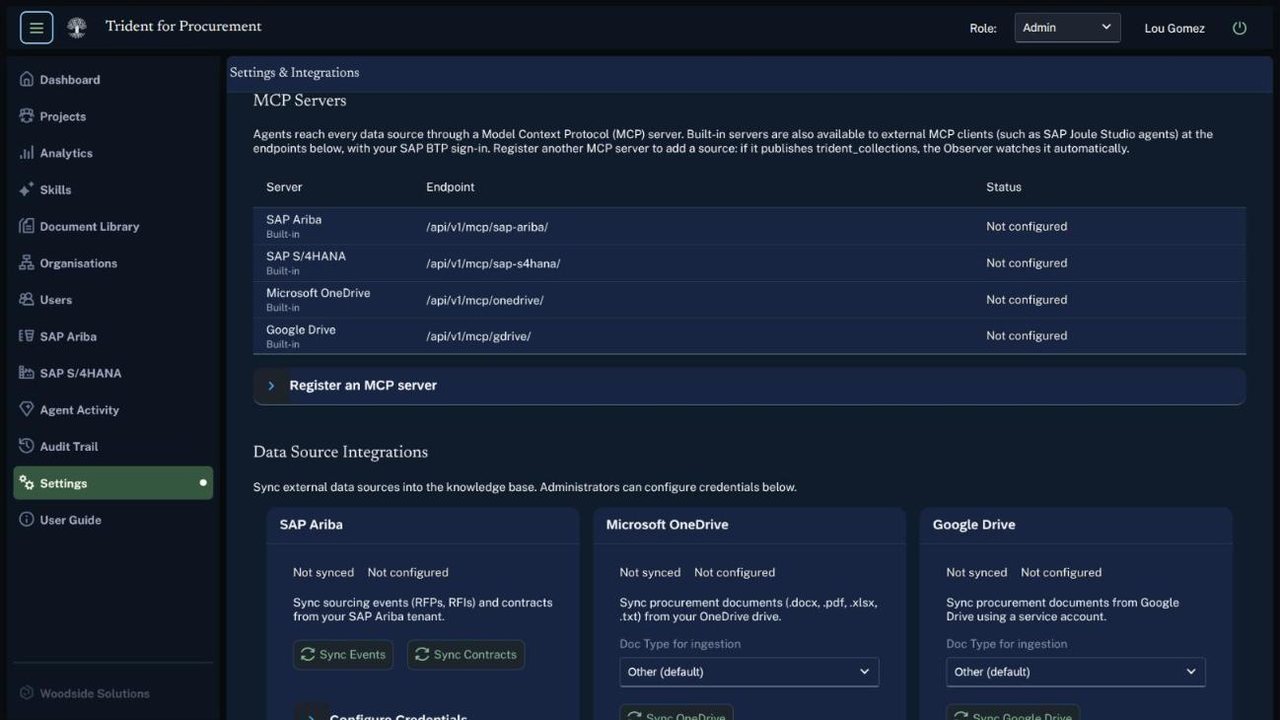
Built-in MCP servers for SAP Ariba and SAP S/4HANA give the agents read tools and proposal-only write tools. Administrators can register more MCP servers. The observer then syncs and indexes their data without code changes. Policy rules and write-back actions for a new source are added in code.
Generative AI hub in SAP AI Core
Skills, the reasoner's optional skill runs and Ask AI answers call a model through the generative AI hub in SAP AI Core. An administrator chooses the model for all users from the models available there.
Document library and knowledge base
Uploaded documents and synced SAP records are split into passages and indexed for keyword search. Skills retrieve the most relevant passages and show which sources they used. Documents belong to an organization, and buyers and suppliers search only their own organization's documents.
Signed audit trail
Every skill run, AI call, proposal, approval, rejection, write-back, agent run and settings change creates an audit record. Each record is signed with HMAC-SHA256 over its action, resource, user, outcome and details. Administrators can filter the trail by action and outcome.
Sign-in and roles
Users sign in through SAP BTP with the SAP Authorization and Trust Management service. Buyer, supplier and administrator roles come from role collections. Trident also checks organization membership and which side of a project the user is on.
Data storage
Projects, documents, findings, approvals and the audit trail are stored in PostgreSQL on SAP BTP. Trident reads SAP Ariba and SAP S/4HANA through their APIs and writes to them only through approved write-backs.
Screens
Agents and connections in the app